This page
- How long
- Five minutes a day. Then you copy the text.
- Where the text goes
- Onto your clipboard.
- Where
- Only here, in this browser.
Speech to text in the browser. No account.
Tap the microphone and speak. Your text shows up right underneath.
0 words0 characters
You tap the microphone and speak. The fluesta Engine writes the sentence down. You copy it. Speech to text, no account.
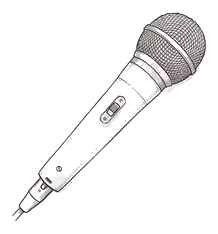
Allow the microphone when the browser asks, and speak. One take lasts two minutes.
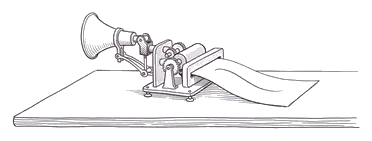
The sentence becomes text. German or English, you do not switch anything.

The text is there. Copy it into the email, the document, or the chat.

The same speech to text. On this page you take the text with you. In fluesta it sits in the email, the document, or the chat you already have open.

Yes. You tap the microphone, say the sentence, and the text sits underneath. You copy it. No account, and no subscription. This is how you find out whether speech to text suits you. If you want the sentence in the email, the document, or the chat you already have open, that is fluesta on your Mac or PC. You ask for access when you want that.
You stop, the recording goes to the fluesta Engine, it becomes text, and then it is gone. fluesta stores neither the recording nor the text. After that, the field holds what you said.
Chrome, Edge, Safari, and Firefox, on a computer and on a phone. You tap the microphone and allow the recording when the browser asks. If a browser cannot record, the page tells you before you start talking.
No. You tap the microphone in this browser. The text sits underneath, and you copy it. Dictation in Word or Windows is a setting on the computer. If you want the sentence in the email or the document, that is fluesta on your computer. You ask for access.
No. The text stays in this tab. Once you copy it, it is on your clipboard. Clear the field or close the tab, and it is gone. There is no history here, and no account waiting with old dictations.
You speak into the field you are already writing in. An email, a document, a chat. The text lands there. You do not fetch it from a second window. Words that should always be spelled your way come from your glossary, and slips of the tongue are cleaned up before the sentence lands. This page gives you the text to copy. You ask for access to fluesta on your Mac or PC when you want that on a normal workday.
No. You just speak. The fluesta Engine picks up the language, German or English, however the sentence comes out. There is no switch for it on this page.
Two minutes at a time, five minutes in a day, and only in this browser. The counter lives on this device, not in an account. After that, you are done for today. That is enough for an email or a note. A long dictation belongs in fluesta on your computer, once you have access.
